

Locate the “Settings” app on your device, then follow the steps below to upgrade to the latest version of iOS.iPhone SettingsiPad Settings |
iPhone Settings
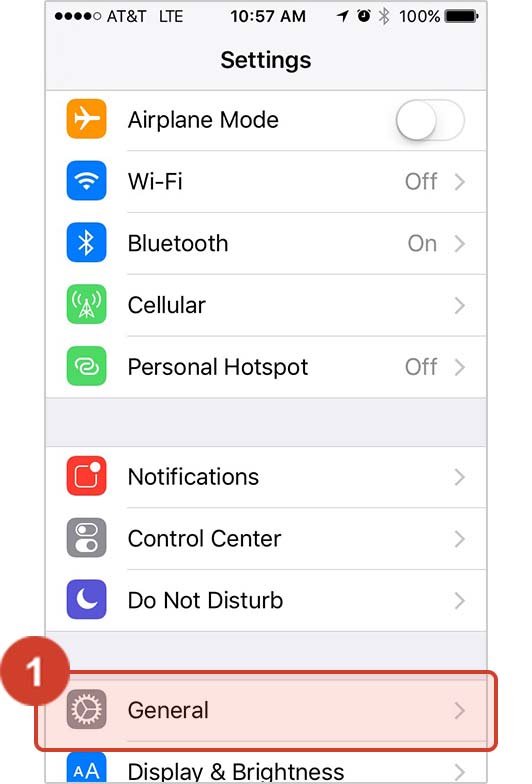
Step 1 - Tap "General"
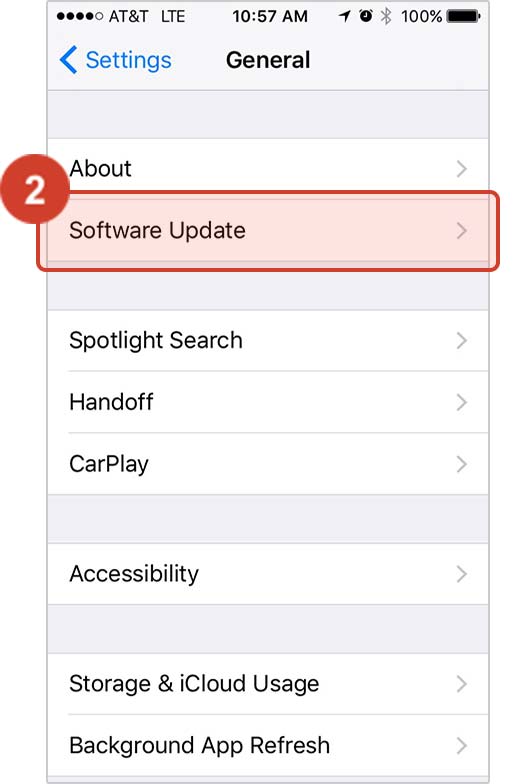
Step 2 - Tap "Software Update"
Step 3 - Follow Instructions
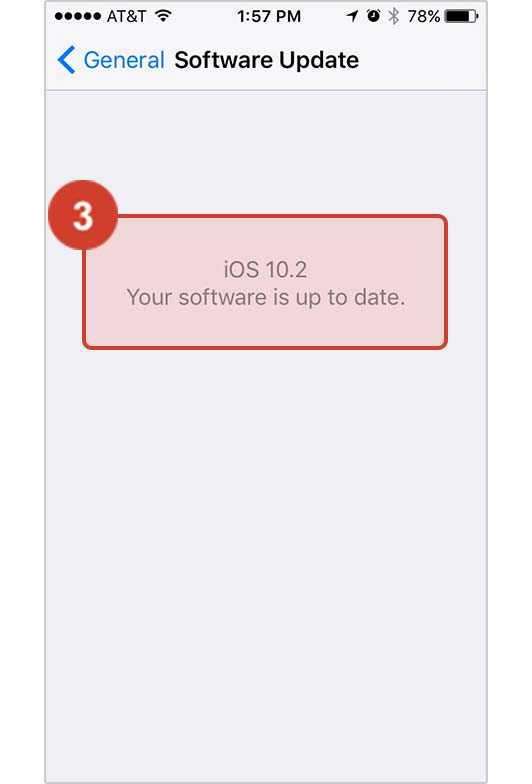
Is your version up to date?
If the screen says “Your software is up to date,” then you’re all set! If not, then simply follow the instructions on screen to download and install the latest version. You will need to have iOS version 15 or later to run Live Check-In.
iPad Settings
Step 1 – Tap “General” on the left side
Step 2 – Tap “Software Update” on the right side
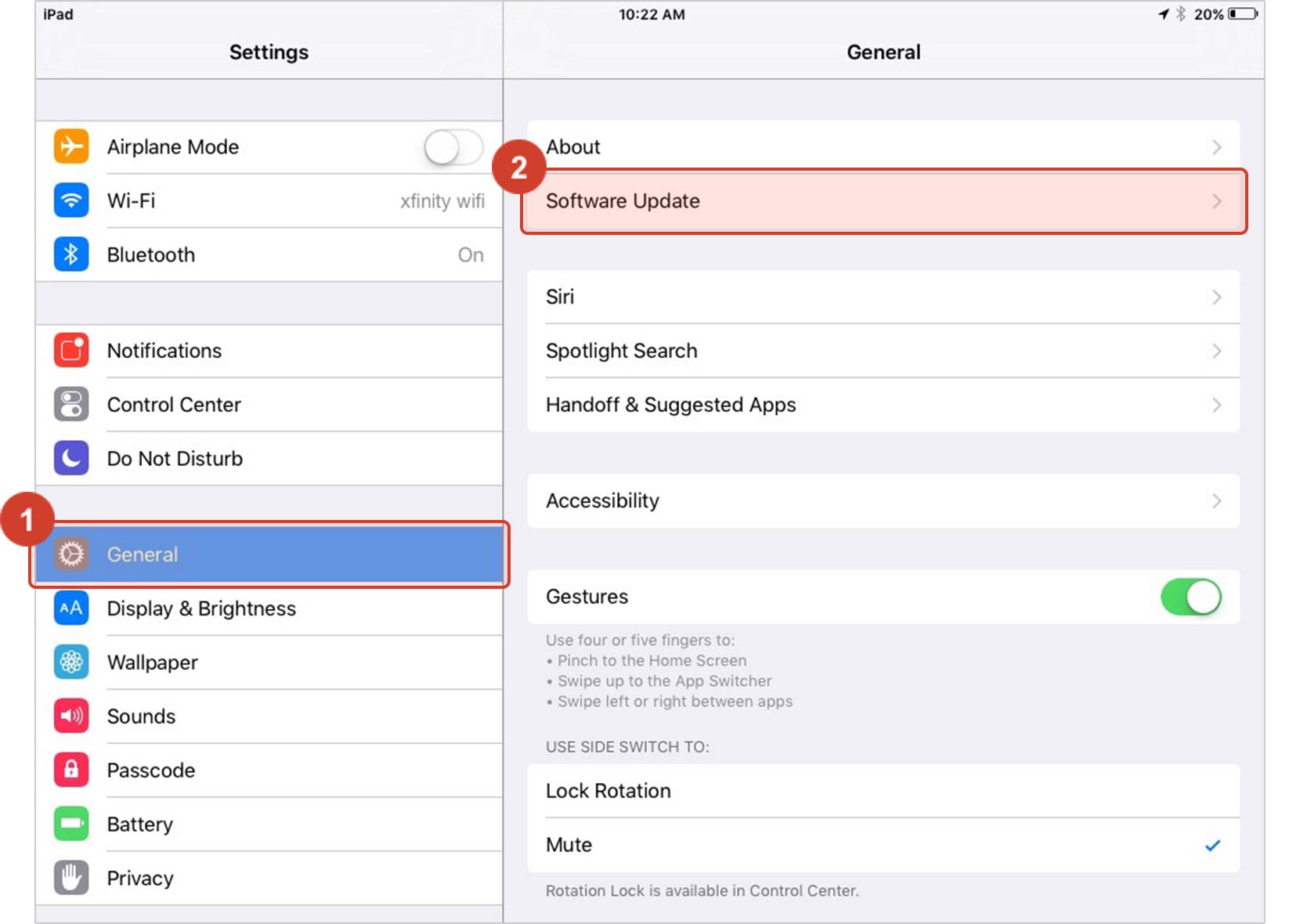
Step 3 – Follow Instructions
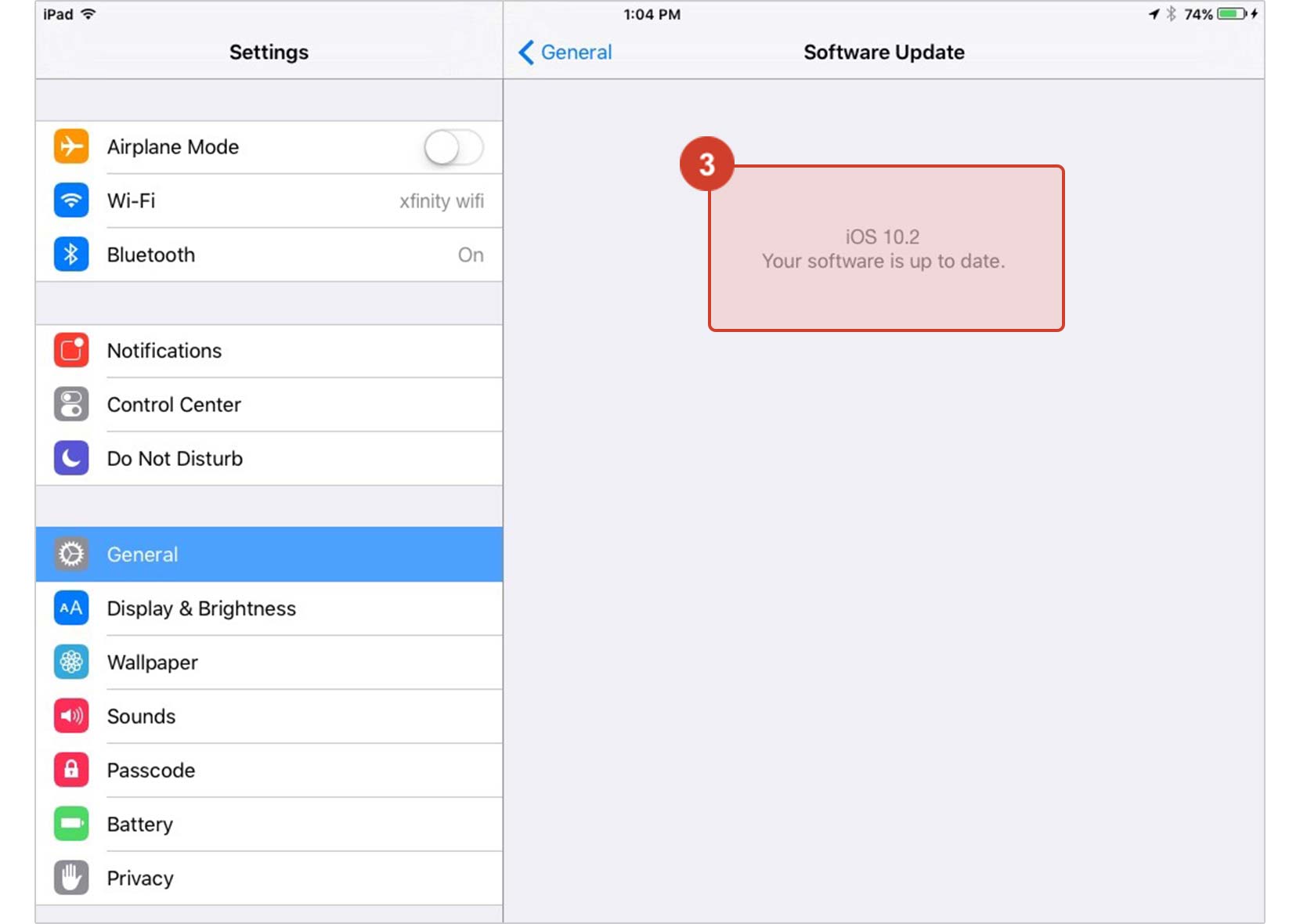
Is your version up to date?
If the screen says “Your software is up to date,” then you’re all set! If not, then simply follow the instructions on screen to download and install the latest version. You will need to have iOS version 15 or later to run Live Check-In.