

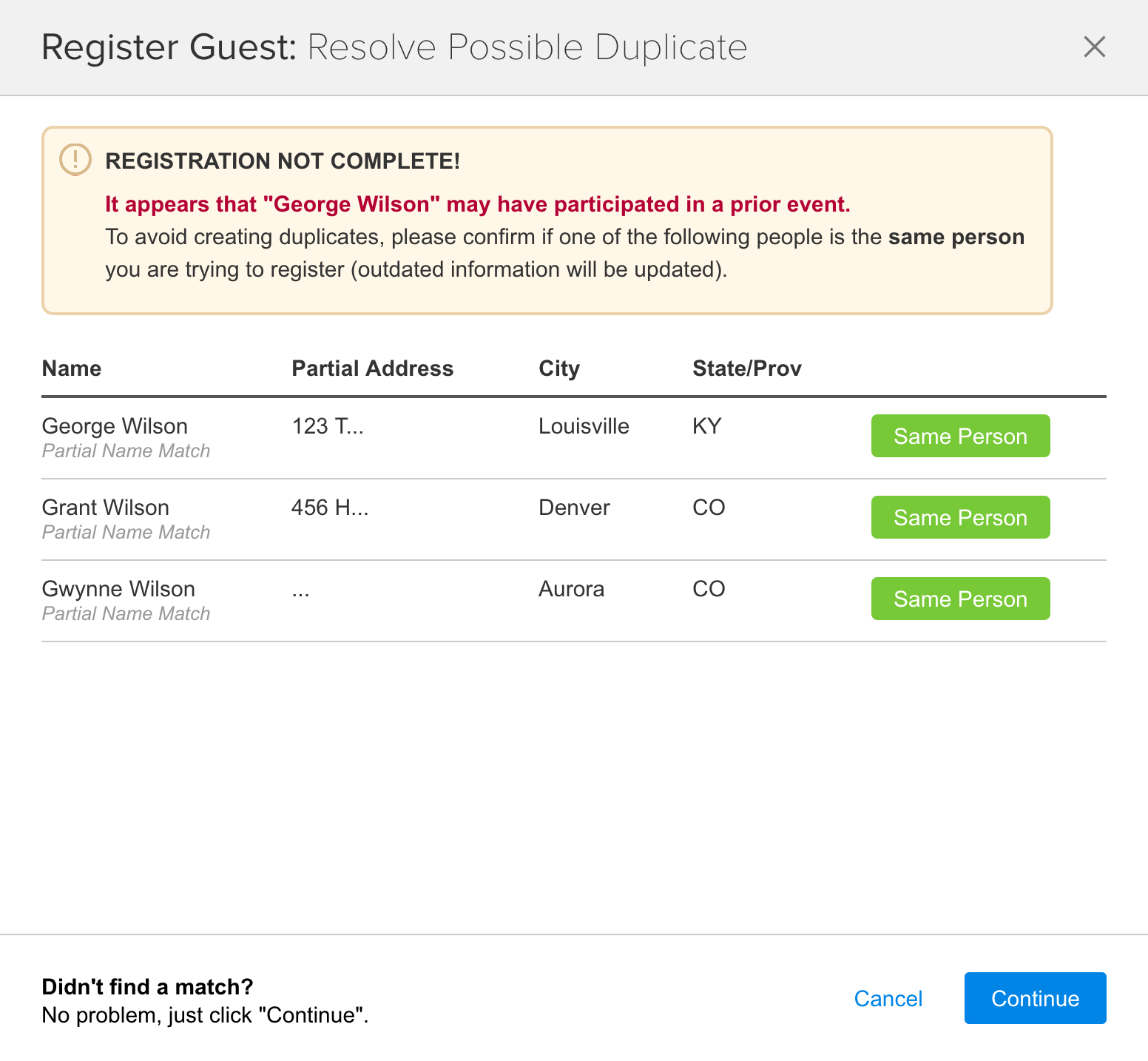
After you or your registrants complete the Registration Form, FundEasy checks for possible duplicates in your database after the registration form is completed. Any possible matches will appear on the duplicate checker page.
Admin version:
Registrant version:
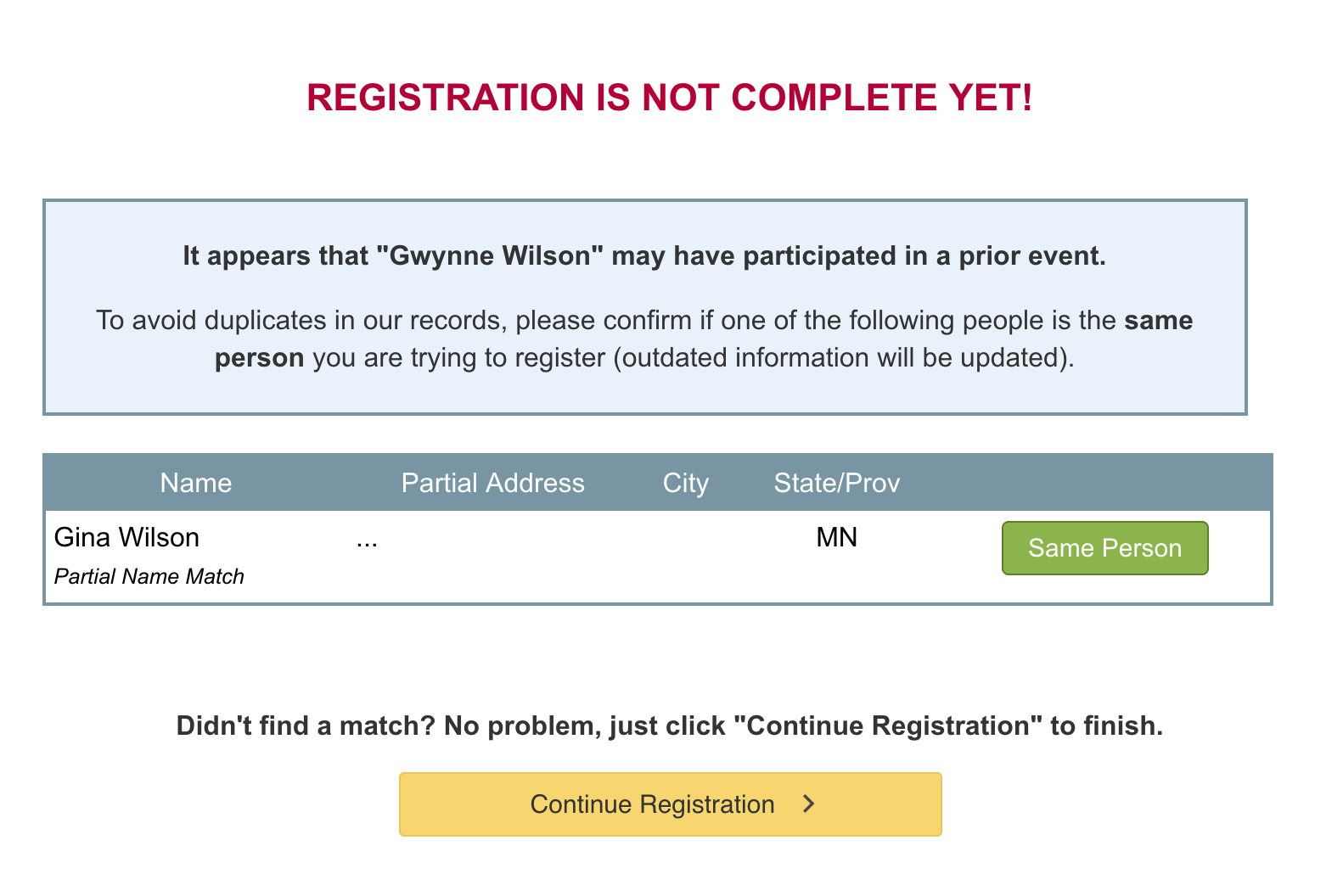
If you find a match, click the Same Person button to complete registration. The saved profile will be updated with the information in the Registration Form.
If you do not find a match, click Continue or Complete Registration to finish adding this person to your event.
Depending on the product you're using for your event, the Duplicate Checker can be disabled from Attendance Event Preferences or Peer-to-Peer Event Preferences.
Note: admins have the ability to use the Express Person Lookup to find existing profiles to speed up registration. For privacy concerns, we cannot make Express Person Lookup available for the public.