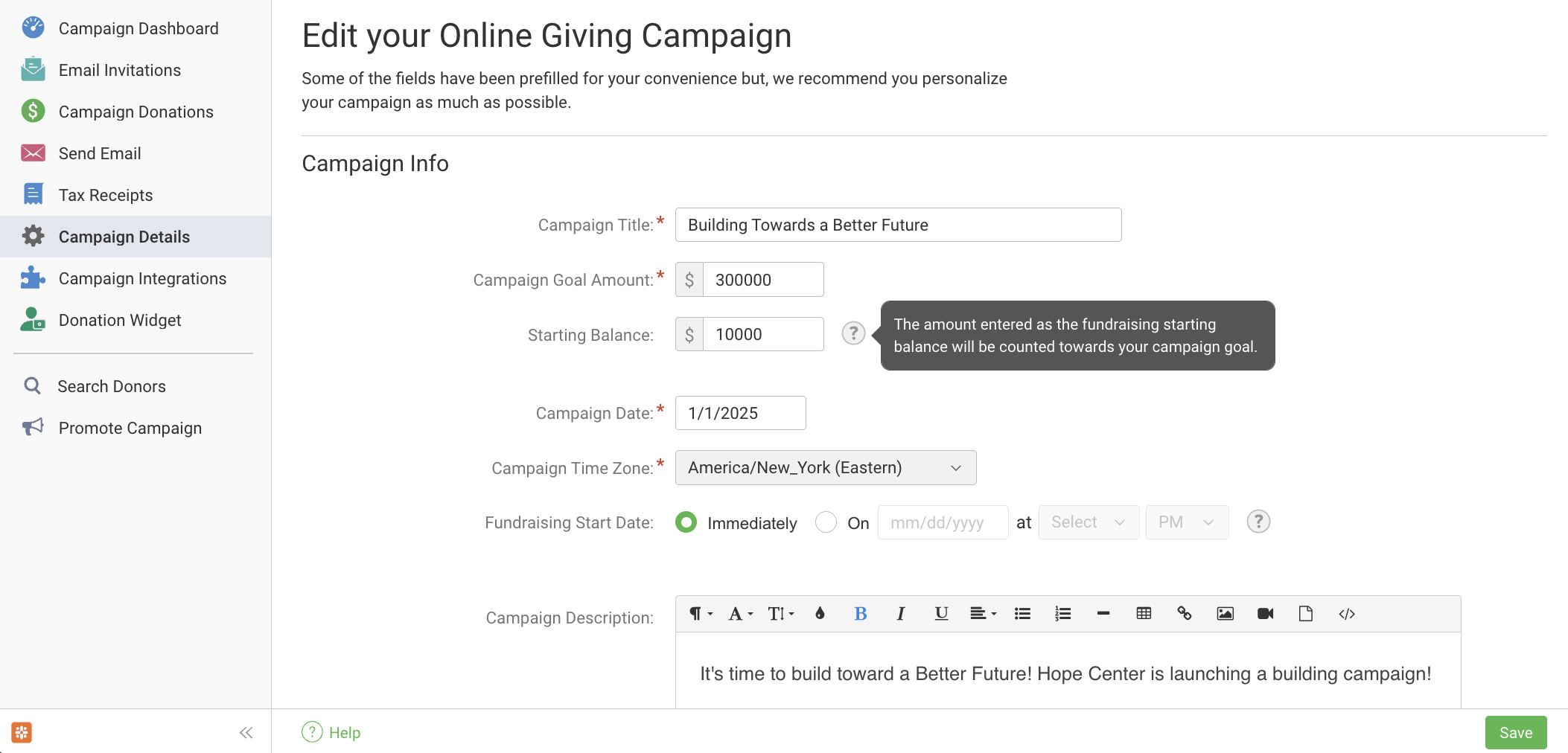
If your organization received offline donations for your GivingTuesday, Year-End, or other Crowdfunding campaign and you'd like to count those into your campaign's total raised amount, you can do so by going to Campaign Details on the left and using the Starting Balance field. You can enter an amount there any time. To update an existing balance, simply edit the balance amount entered there to include any new offline donations and click Save at the bottom of the page.
Note: since the primary focus of your Crowdfunding campaign is online giving, your Starting Balance is not itemized; it functions as a running total of all donations received offline/outside of the campaign. Offline donations cannot be recorded by name individually and donors who give your campaign offline do not receive receipts for their offline donations.