

We know that it can be frustrating to not receive emails related to managing your FundEasy account. Because of the many different email tools and filters in use, we're not able to guarantee email delivery, but below are some reasons why you may not be receiving emails:
The email was delivered, but didn't land in your inbox. Please check your Spam and Junk folders. If you have a Gmail account, the email may have gone to your Promotions or Updates tab. Using your email search tool, search for specific keywords to see if you can find the email across all folders.
Your email address was unsubscribed at some point. Sometimes we find that emails are unsubscribed even if the person doesn't remember doing it. If you think your email may be unsubscribed, please use this link to check/change your subscription settings.
The email was blocked by your Spam/security filters. Please try adding our domain (@fundeasy.com) to your WhiteList to train your email provider to allow delivery. For more information about adding a sender's domain to your Whitelist, see this article.
Some email tools, like MailChimp, don't allow us to send emails to email addresses with role-based names, like "admin@sampleorganization.com" or "billing@sampleorganization.com." Some of our communication regarding company updates, temporary issues and account information may be impacted by these restrictions. Whenever possible, be sure to use an email that doesn't have role-based keywords in the name (like "admin" and "billing") for your account users. If you need to change the email associated with your account user, please see this article.
Note: if you would like to change who receives notifications about FundEasy subscription billing, you can view/change that in your Stripe settings.
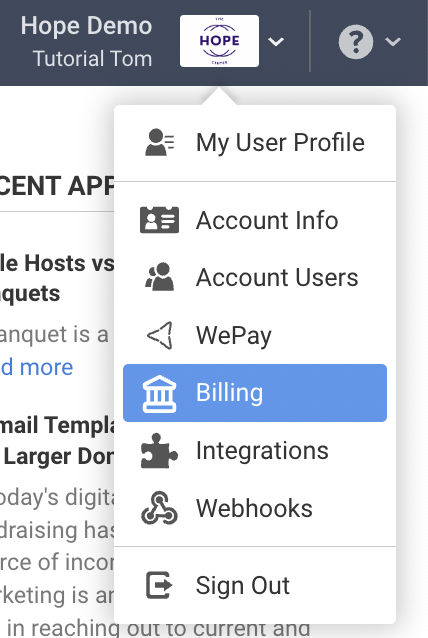
Go to the Billing tab in the account dropdown in the upper right hand corner.
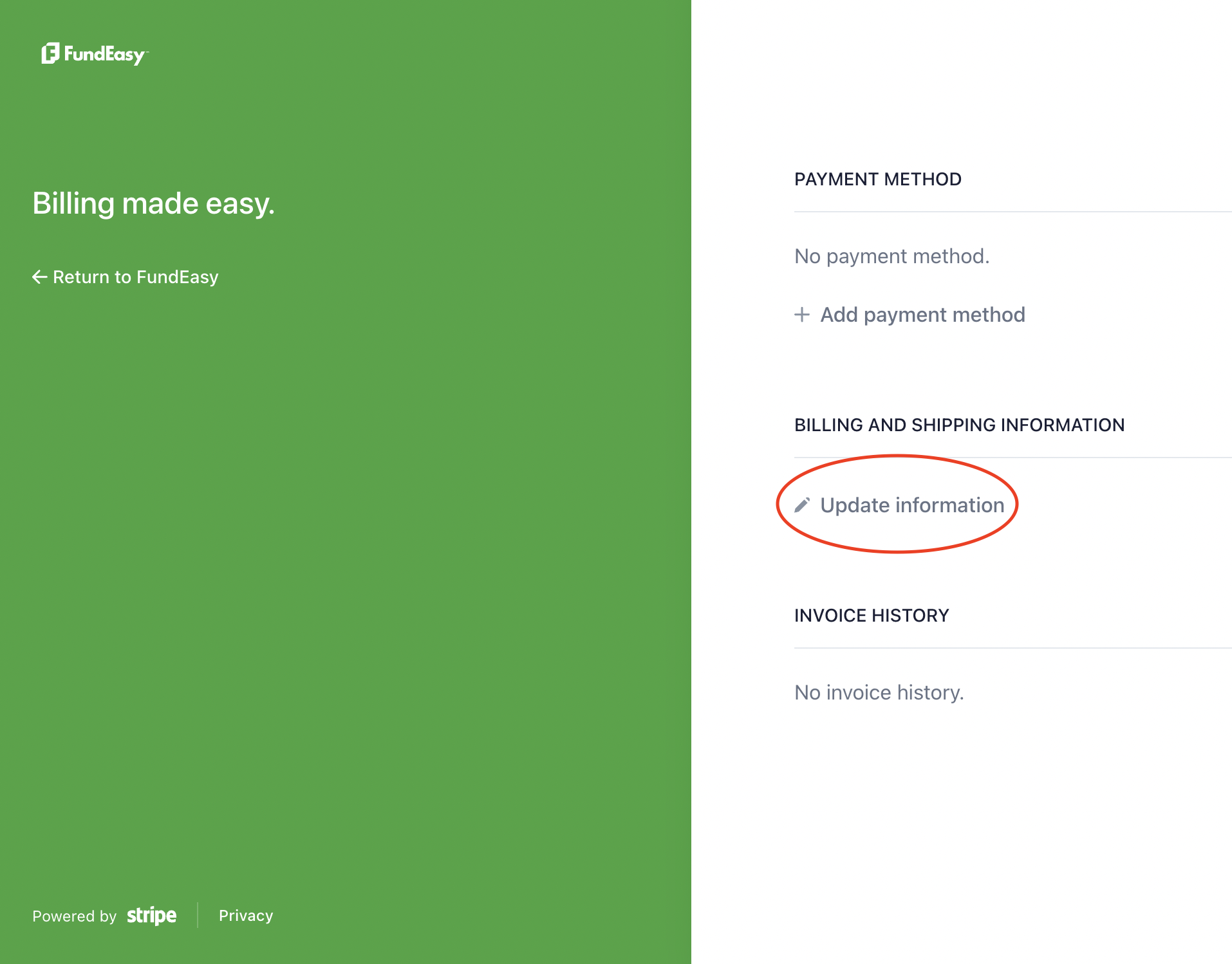
Under the Billing and Shipping Information heading, click Update Information.
Stripe defaults to only one email on file for billing notifications. If you would like multiple people to receive these notifications, please submit a request to support@fundeasy.com with the email addresses that you would like included and we can add them for you.